
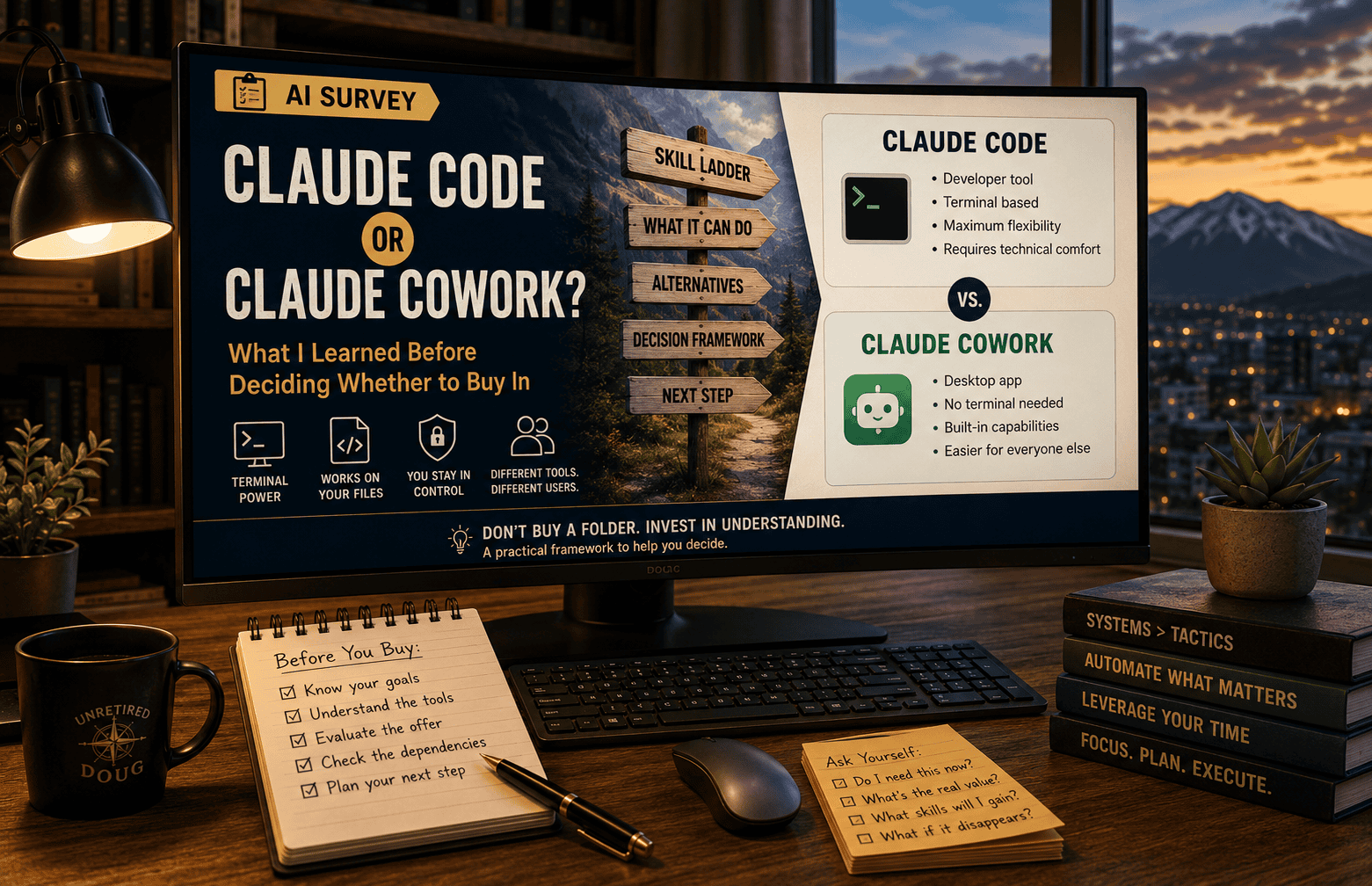
What I Learned Before Deciding Whether to Buy In
Quick answer:
Claude Code and Claude Cowork are both real software you install on your own computer, built on the same underlying technology but for different audiences. Claude Code assumes some comfort with a terminal and reviewing file changes. Claude Cowork removes most of that requirement. Before you buy any product built on either one, find out which one it uses, place yourself honestly on the skill ladder below, and ask whether you’d still know what to do if the product disappeared tomorrow.
Today I had a chance to buy a Claude Code product that goes up by at least $100 after today. I strongly believe I’ll want to learn and use Claude Code at some point. But is it right for me now, even at an attractive price?
Here’s what I learned figuring that out. I’ll share my decision and my reasoning. If you’re anywhere near the marketing or online-business space, you’re likely to get pitched something similar, framed the same way: a countdown, a folder, a promise that it does 90 percent of the work for you. This article is meant to help you navigate that pitch, whichever version of it lands in your inbox.
What Are Claude Code and Claude Cowork?
Anthropic, the company behind Claude, offers two different tools that let Claude actually do work on your computer instead of just talking about it: Claude Code and Claude Cowork. They run on the same underlying model and the same core technology. That’s part of why the pitches for products built on top of them can sound so similar.
But they’re built for different people. That difference matters, and it might not be clear on a sales page.
Claude Code is a developer tool. You install it, and you mostly run it from what’s called a terminal. Despite the name, that has nothing to do with plugs, cables, or ports. A terminal is just a plain text window on your screen where you type commands and Claude responds in text, instead of clicking buttons and icons the way you’re used to. If you’ve ever seen a movie scene with someone typing rapid-fire text on a black screen, that’s the general look, minus the drama. You can also run Claude Code from inside a code editor like VS Code, which puts a more familiar visual layer on top of the same thing.
You point it at a folder of files, whether that’s a website, a codebase, or a pile of documents, and give it instructions in plain English: “Reorganize these pages,” “fix every broken link,” “build me a tool that renames these images.” It reads the files, makes changes, runs tests, and shows you what it did. You’re the supervisor. It was built with software developers in mind, but it works on any kind of files, which is why some non-dev marketers have started using it to automate content and campaign work.
Claude Cowork is the same basic idea, aimed at people who don’t want anything to do with a terminal. It’s a desktop app. You open it, point it at a folder, describe the outcome you want, and it works. It comes with a large library of ready-made capabilities already built in, runs in a more contained, sandboxed way, and doesn’t ask you to learn command-line basics or version control first. Anthropic built it, as best I can tell, specifically because Claude Code’s setup was too intimidating for people who aren’t developers.
Same brain. Different hands. One expects you to get comfortable with a bit of technical process. The other tries to remove that requirement almost entirely.
One scope note before going further: this article only covers Anthropic’s two tools. That’s not because they’re the only option. Other companies sell similar agent tools that read and edit files on your computer, and more launch every few months. I favor Claude here for how clearly Anthropic draws the line between its own options: Code for developers, Cowork for everyone else, rather than blurring both into one tool and leaving you to sort out which mode you’re in. That’s my own preference speaking, and it’s worth exploring the field yourself before settling into any one ecosystem.
Am I Just Chatting With Claude, or Installing Software on My Computer?
One thing worth being explicit about: neither of these is “visit a website and type to Claude.” Both are software you install on your own computer, and both work by reaching into specific folders you point them at, reading files, editing them, creating new ones. That’s the whole value proposition. It’s also the part that deserves a clear head, not just excitement about what it can do.
Setting up and controlling that access is your job, not the software’s. You choose which folders it can see. A sensible habit is to start narrow, a single project folder with nothing else in it, rather than handing it your whole Documents drive on day one.
It’s worth being deliberate about what you keep out of any folder you grant access to. Saved passwords, account credentials, financial records, or other sensitive personal files don’t belong anywhere near a folder either tool is working in. Cowork runs in a more contained, sandboxed environment than Claude Code does, which reduces some of the risk, but “more contained” isn’t the same as “safe to point at everything.” The basic discipline of scoping access deliberately applies to both.
None of this is a reason to avoid either tool. It’s a reason to set them up the way you’d hand someone the keys to one room, not the whole building.
Why Does the Difference Matter When You’re Buying a Product?
Nearly every “Claude does your marketing for you” product I’ve seen lately is really one of two things:
- A pre-built system running on Claude Code: a folder of prompts, automations, and conventions someone else designed, that you install and operate.
- A pre-built system running on Claude Cowork: the same idea, but on the simpler surface.
The sales pages may not say which one, and they almost never explain why it matters. But it changes what you’re actually being asked to invest in.
If the product runs on Claude Code, you’re buying convenience on top of a tool that assumes some baseline comfort with a couple of things. Files and folders themselves aren’t one of them. If you can navigate Windows Explorer or the Mac Finder, you already have that part.
What’s actually new is the terminal and the habit of reviewing what Claude changed before you trust it. You need to be checking its work, catching a mistake, undoing it if needed. You don’t need to become a programmer. But you do need to become a competent supervisor. That’s a real, learnable skill. It’s just not zero-cost, and it’s not optional if the wrapper product ever breaks, changes, or disappears.
If the product runs on Claude Cowork, that particular barrier mostly isn’t there. You’re closer to buying pure convenience, because the underlying tool was already built for people without technical backgrounds.
Neither is better across the board. But the sales page for a Claude Code product and the sales page for a Claude Cowork product can use nearly identical language, things like “one folder,” “hands off your marketing,” “trained on your business,” while asking two very different amounts of you before the product actually pays off.
What About the Offer That Prompted This Article?
The offer in front of me is built on Claude Code. It’s honest about that, to its credit. It doesn’t pretend to be a magic button, and it says plainly that you’re getting a folder of prompts, automations, and the seller’s own accumulated decisions about how to run a solo marketing operation. That’s a legitimate thing to sell.
But it means the real question isn’t “is this a good system?” It’s “am I, right now, someone who can evaluate whether this is a good system?” Buying a pre-built Claude Code operation before you’ve spent any time supervising Claude Code yourself means you’re not really evaluating architecture. You’re evaluating a sales page. If it breaks, or you want to change something, or the seller stops updating it, you’re exactly where you started, minus the purchase price.
Where Do You Stand on the Skill Ladder?
Before buying anything built on either tool, it’s worth placing yourself honestly on a short ladder:
- You do your marketing by hand. You understand every step, but it’s slow.
- You use plain AI chat, ChatGPT, Claude, whatever. Faster, still manual, still one exchange at a time.
- You’ve used Claude Code or Claude Cowork yourself, even a little. You understand what “point it at a folder and give it an instruction” actually feels like, and you know how to check its work.
- You’re buying someone else’s pre-built system running on top of one of those tools, to save yourself the time of designing your own.
The jump worth being careful about is going straight from the first or second rung to the fourth. That’s when the product becomes something you rent rather than something you understand.
The honest test is simple: if the product disappeared tomorrow, would you still know how to do any of it yourself? If the answer is “not really,” that’s not necessarily a reason to skip the purchase, but it’s a reason to know what you’re actually buying: convenience now, not capability you’ll still have later.
So Where Did I Land?
I’m an explorer. I know a heck of a lot more than I did a year ago. But I haven’t mastered all the capabilities I’d be supervising if I decided to “let AI do all my marketing.” For me, getting better and more efficient at the processes I’m putting in place is more important, for now, than turning any program loose to do things I can’t do myself, or at least understand fully.
I’m not saying you have to become a master website builder before you assign an AI assistant the job of updating some HTML pages. But, just as when you outsource to a human, it’s important to understand things well enough so that you know what you’re asking for.
Regarding the increasing price: by the time I’m ready to use either of Anthropic’s tools or something similar, other resources will be available. Some may work better for me at a lower price. In any event, I follow a personal rule: be willing to buy something later, from a stronger position, even if I pay a little more.
What Should You Ask Before You Buy a Similar Pitch?
Before you buy any “AI runs my business” product, ask three questions the sales page won’t ask for you:
- Is this built on Claude Code or Claude Cowork? If the page doesn’t say, that’s worth noticing on its own.
- Which rung of the ladder am I actually on, not which rung I’d like to be on?
- If this disappeared tomorrow, what would I still know how to do?
None of those questions tell you not to buy. They just make sure that if you do, you know exactly what you’re paying for: leverage on a skill you already have, or a bet that you’ll never need to.
This post is part of the AI Survey series, where I take a hands-on look at different AI tools and how they actually perform for solopreneurs like me. Browse the full series →
For articles specifically about Claude, browse the Claude tag–>
Quick Answers
What is the difference between Claude Code and Claude Cowork?
Both are software Anthropic built on the same underlying technology, but for different people. Claude Code is a developer tool run mostly from a terminal. Claude Cowork is a desktop app built for people who don’t want to touch a terminal at all.
Do I need to learn to code to use Claude Code?
No. You don’t need to become a programmer. You do need to become a competent supervisor: comfortable enough with a terminal and with reviewing changes to know whether Claude did the right thing, and how to undo it if it didn’t.
Is Claude Cowork safer than Claude Code?
Cowork runs in a more contained, sandboxed environment, which reduces some risk. But that isn’t the same as safe to point at everything. Both tools deserve the same discipline: grant access to a narrow, specific folder, and keep sensitive files like passwords, credentials, and financial records out of any folder either tool can reach.
How do I know if a product I’m being pitched runs on Claude Code or Claude Cowork?
Sales pages don’t always say. If it isn’t stated plainly, that’s worth noticing on its own, and worth asking the seller directly before you buy.
Should I buy a pre-built system now, or learn the tool myself first?
It depends on where you honestly stand on the skill ladder. The jump to be careful about is going straight from manual work or plain AI chat to buying someone else’s pre-built system, since that’s when the product becomes something you rent rather than something you understand.