
One of the stranger things about getting started online is how quickly people are pushed toward complexity.
Before they’ve written a single useful article or published a single helpful page, they’re already being told they need premium software, advanced funnels, AI workflows, paid traffic systems, elaborate branding, and automation stacks.
Meanwhile, the actual foundation often remains unfinished.
That’s backwards.
If you’re building an online business — especially as a beginner or someone returning to internet marketing after years away — your first objective is not sophistication.
It’s stability.
You need a place online that belongs to you. Somewhere your articles live, your email list connects, and your work continues to exist even if a social platform changes its algorithm tomorrow.
That sounds larger and more technical than it really is.
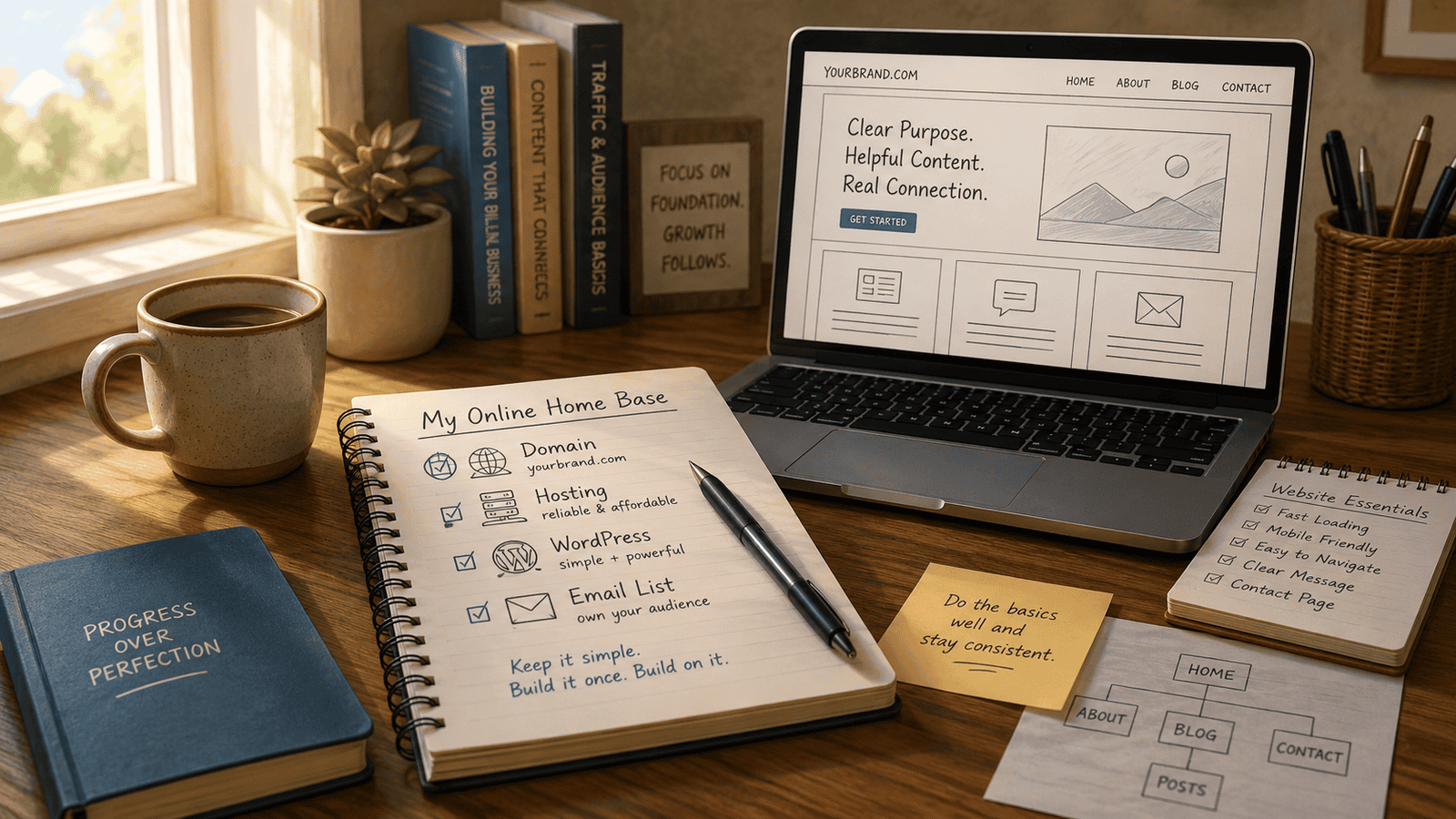
In practical terms, your online home base usually comes down to four things:
1. A domain name people can remember.
2. Hosting that keeps the site online.
3. A simple WordPress installation.
4. An email system that lets readers stay connected to you.
That’s enough to begin.
Everything else can be layered on later.
What Most Beginners Actually Need
A surprising number of people spend months preparing to launch something they could have built in a weekend.
Part of this comes from fear of “doing it wrong.” Another part comes from the internet itself. There is always another video, another recommendation, another software stack waiting to convince you that you still are not ready.
But readiness online is often overrated.
A clean, functional website with a few useful pages is already ahead of the enormous number of people who remain permanently stuck in research mode.
This matters because your website is infrastructure. It may not feel exciting while you’re building it, but it quietly supports everything that comes later: your articles, your email list, your lead magnets, your product pages, and your recommendations.
Nobody boasts online about setting up permalinks correctly or configuring a contact form. But these small practical tasks are often the difference between someone building a real publishing platform and someone endlessly consuming “make money online” content without ever creating anything.
There’s an old saying: dig your well before you’re thirsty.
Your website is part of that well.
Choosing a Domain Name Without Overthinking It
Your domain name is simply your online address. Something like:
YourName.com
YourTopicGuide.com
YourBrandName.com
Most domains cost around ten to fifteen dollars per year.
The mistake many beginners make is assuming the name has to be perfect before they can move forward.
It doesn’t.
Spending four days debating domain names is often just procrastination wearing a business disguise.
A few practical guidelines matter:
Keep it reasonably short. Make it easy to spell. Avoid hyphens and numbers if possible. And if you can get a .com version, that’s usually preferable because people instinctively trust and remember it more easily.
Beyond that, good enough is usually good enough.
A strong body of content will matter far more than whether your domain name sounded brilliant on launch day.
Hosting: Keep It Simple Early On
Hosting is simply the service that stores your website files and makes them accessible online.
For most beginners, inexpensive shared hosting is perfectly adequate.
You do not need enterprise hosting, expensive server configurations, or advanced performance systems before you’ve even published consistently.
At this stage, simplicity has real value.
Providers like Hostinger, SiteGround, and Bluehost all offer beginner-level hosting plans capable of handling a new website without problems.
What matters more is understanding what not to buy yet.
Hosting companies frequently push expensive add-ons during checkout. You’ll often see offers for premium backups, security packages, SEO suites, optimization bundles, and upgraded SSL certificates.
Most beginners do not need these immediately.
A clean WordPress installation with a few carefully chosen plugins is usually enough to begin.
One important practical caution: always check renewal pricing before purchasing hosting.
A plan advertised at a low introductory rate may renew at a much higher monthly cost later. Many beginners don’t notice this until the second year.
Why WordPress Still Makes Sense
Some people are surprised that WordPress continues to be the standard recommendation after all these years.
But there’s a reason it still powers a huge percentage of the web.
It’s flexible, inexpensive, widely supported, and relatively portable. More importantly, tutorials exist for nearly every problem you’ll encounter.
That matters when you’re learning.
It also helps that WordPress gives you a degree of ownership and control that many closed website platforms do not.
One of the recurring problems online is becoming overly dependent on systems you don’t control. Social platforms change policies. Algorithms shift. Features disappear. Entire business models sometimes evaporate overnight.
A self-hosted WordPress site is not immune to problems, but it gives you a stable base you can build on over time.
Especially if your goal is to create long-term assets rather than chase temporary trends.
Your Website Does Not Need to Look Impressive Yet
This is where many beginners lose momentum.
They spend weeks adjusting fonts, testing themes, redesigning logos, comparing homepage layouts, or debating color palettes before they’ve published a single meaningful article.
Meanwhile, visitors still have nothing useful to read.
Most people are not evaluating your artistic vision. They are asking simpler questions:
Does the site load properly? Is it easy to read? Does it work on a phone? Can they quickly understand what the site is about?
If those basics are handled competently, you are already ahead of many beginner websites.
A clean, readable site usually builds more trust than an elaborate one overloaded with effects and animations.
The Only Pages You Really Need at First
Most beginners dramatically overestimate how much website they need before launching.
In reality, you can begin with just a few core pages.
Your home page should explain who the site is for, what problem you help solve, and what visitors should expect from your content.
Your about page matters more than many people think. People increasingly want to know who is actually behind a website, especially now that mass AI-generated content is flooding the internet.
You do not need to write your autobiography.
But a calm explanation of who you are, why you created the site, and what perspective you bring helps establish trust.
For older beginners especially, life experience is often an advantage rather than a drawback.
And finally, create a simple contact page.
This sounds minor, but psychologically it matters. A functioning contact page signals that a real person operates the site. That still carries weight online.
Don’t Turn Your Site Into a Plugin Junkyard
One of the fastest ways beginners create technical problems is by installing too many plugins too quickly.
Every plugin introduces potential conflicts, maintenance requirements, security considerations, and performance overhead.
You do not need twenty plugins on day one.
Usually you only need a few essentials: basic security, SEO functionality, caching, and contact forms.
That’s enough to begin.
Add additional tools only when you encounter a specific problem they genuinely solve.
This approach keeps your site faster, cleaner, easier to troubleshoot, and easier to maintain over time.
The internet constantly encourages accumulation. But restraint is often a competitive advantage.
Free Tools Are Usually Enough Early On
Another expensive beginner mistake is assuming professionalism requires expensive software.
Often it doesn’t.
Canva is usually sufficient for simple blog graphics, lead magnets, and header images. Free stock photo sites like Unsplash and Pexels are more than adequate for most early-stage content.
And free email platforms like MailerLite or Brevo allow you to begin building an email list before paying monthly subscription fees.
That matters because your email list is one of the few audience assets you genuinely control.
Traffic sources change constantly. Social platforms rise and fall in importance. Algorithms shift. But an email list remains one of the more stable long-term assets an online publisher can build.
Again, infrastructure before traffic.
What Actually Matters Most
Here’s the uncomfortable reality many people eventually discover:
Your website itself probably will not be the thing that makes money.
Your usefulness will.
The site is simply the container.
The real value comes from your articles, your recommendations, your consistency, your perspective, and your ability to help specific people solve specific problems.
Which means there comes a point where continued tweaking becomes avoidance.
A surprising number of people remain trapped in redesign cycles because publishing feels riskier than preparation.
But eventually the site has to become a working publication rather than an ongoing setup project.
Most successful websites looked fairly ordinary in the beginning. What mattered was that the owner kept building.
Keeping Costs Under Control
A realistic first-year budget for a simple online home base is usually much lower than many beginners expect.
A domain name, shared hosting, and perhaps a few modest tools later on are often enough to get started.
You do not need a fifteen-hundred-dollar custom website, enterprise software, or expensive “business in a box” systems before you’ve validated your direction.
One practical habit worth developing early is tracking every recurring subscription.
Small monthly charges accumulate surprisingly fast online, especially when people buy tools emotionally and forget about them later.
A simple spreadsheet can prevent a lot of unnecessary financial leakage over time.
As a beginner — especially if you’re building carefully on a fixed budget — patience and restraint are advantages, not weaknesses.
Let’s Sum It Up
Your online home base does not need to be impressive.
It needs to exist.
A clean WordPress site with a domain name, a few useful pages, an email signup form, and a simple publishing structure is already enough to begin building something real.
More importantly, it creates a foundation you control.
And in an internet increasingly dominated by rented attention and shifting platforms, that matters more than many beginners realize.
The people who eventually build durable online businesses are rarely the ones with the fanciest websites.
They’re usually the ones who built the foundation, kept publishing, stayed practical, avoided endless distraction, and improved steadily over time.
That may not be the most glamorous strategy online.
But it’s a surprisingly reliable one.
Q&A
Do I need a perfect niche before creating a website?
No. Many people gain clarity through publishing and experimentation. Waiting for perfect certainty often delays progress unnecessarily.
Should I use a free website platform instead?
Free platforms can work temporarily, but they usually limit flexibility and ownership. A basic self-hosted site gives you more long-term control.
Is WordPress too technical for beginners?
Not really. There is a learning curve, but there are also enormous numbers of tutorials available. Most beginners become functional surprisingly quickly.
What matters more early on: website design or content? Content. A simple site with useful articles usually outperforms a beautiful site with nothing meanin